


Connect Robaws to Claude and ChatGPT
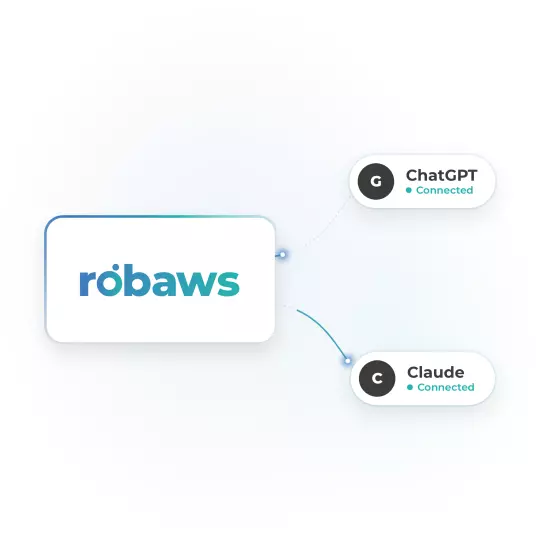
Ask your question in plain language, your AI assistant will fetch the answer directly from Robaws.
Which sites are behind schedule? Which work orders still need to be invoiced? You'll know in a few seconds.
- Free for Robaws customers
- Works with your rights in Robaws
- Your data remains protected
Your AI assistant is getting to know Robaws
With the Robaws MCP, your AI assistant gains access to your data in Robaws. You ask the question, and the assistant finds the answer in your quotes, projects, work orders, schedule, and invoices.
No filters, no exports, no searching. Type your question as you would ask a colleague.
The assistant uses your current data, not general internet knowledge.
The assistant only sees and does what your user role in Robaws allows. In your AI assistant, you can also choose whether it should ask for confirmation first.
What is MCP?
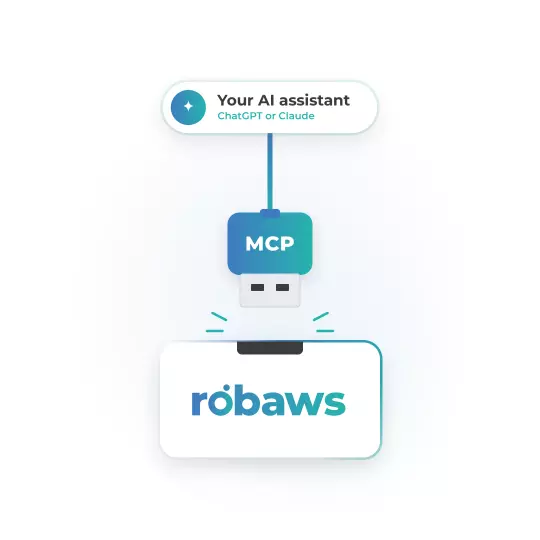
MCP stands for Model Context Protocol. Think of it as a USB connection for AI: a standard plug that lets your assistant know what Robaws can do and what data it's allowed to request. This allows it to give better, more concrete answers about your company.
What are you asking Robaws?
Everyone in your company has different questions. A few examples to get you started.
Overview
how much did I invoice this month, compared to last month?
which quotes are still open and what is their total value?
who are my five biggest customers this year?
Recruitment
which sites are behind schedule?
give me an update on the Residentie Zonnehof project.
how many hours have been performed on this project?
Planning
who is scheduled for next week and where?
which work orders from this week are not yet scheduled?
how many hours did each employee work last month?
Watch it in action
In a few minutes, you'll see how to link Robaws and what questions you can ask.
Connected in a few minutes
- Open settings: Go to Settings in Claude and choose Connectors.
- Add Robaws: Choose your own connector and paste the following link: https://mcp. robaws. com/mcp .
- Log in with Robaws: Log in with your regular Robaws account and grant permission.
- Ask your first question: Try for example: "Which work orders do I still need to invoice?
- Open settings: In ChatGPT, go to Settings and choose Plugins.
- Add Robaws: Create a new plugin and paste the following link: https://mcp. robaws. com/mcp .
- Log in with Robaws: Log in with your regular Robaws account and grant permission.
- Ask your first question: Try for example: "Which construction sites are behind schedule?
Your data, your rules
The assistant operates under your user and follows the permissions set for you in Robaws.
In the settings of Claude or ChatGPT, for each action, you choose whether the assistant may perform it, must ask your permission first, or is not allowed to do it at all.
The connection costs nothing extra. You use your own account with Claude or ChatGPT.
Everything you want to know about the Robaws MCP
Frequently asked questions
A link between Robaws and your AI assistant. MCP (Model Context Protocol) is an open standard that tells AI assistants what a program can do. This allows Claude or ChatGPT to answer questions about your company using data from Robaws.
You decide that yourself.
The AI in Robaws can only do what you grant it rights for when connecting via the MCP. If you only grant read rights, it cannot make any changes. If you also grant write rights, then it can make changes.
Do you want the assistant to ask for confirmation before making any changes, set that up when linking.
Your data remains in Robaws. When you ask a question, your assistant only retrieves the data needed for the answer. That question and answer are processed by your AI provider, according to the terms and privacy settings of your account with Claude or ChatGPT.
The integration is free for Robaws customers. You will use your own account with Claude or ChatGPT, with the associated costs and limits.
Your assistant sees and does only what your user role in Robaws allows. If you want them to be able to do more or less, that role must be adjusted in Robaws.